Hooks, Crons, and Skills: The Three Layers That Make Claude Code Do Things Without You
Claude Code can react when things happen, run tasks on a schedule, and learn new abilities you install in seconds. Three systems make this possible — skills, hooks, and crons. Here's what happened when I set all three up in the same week.
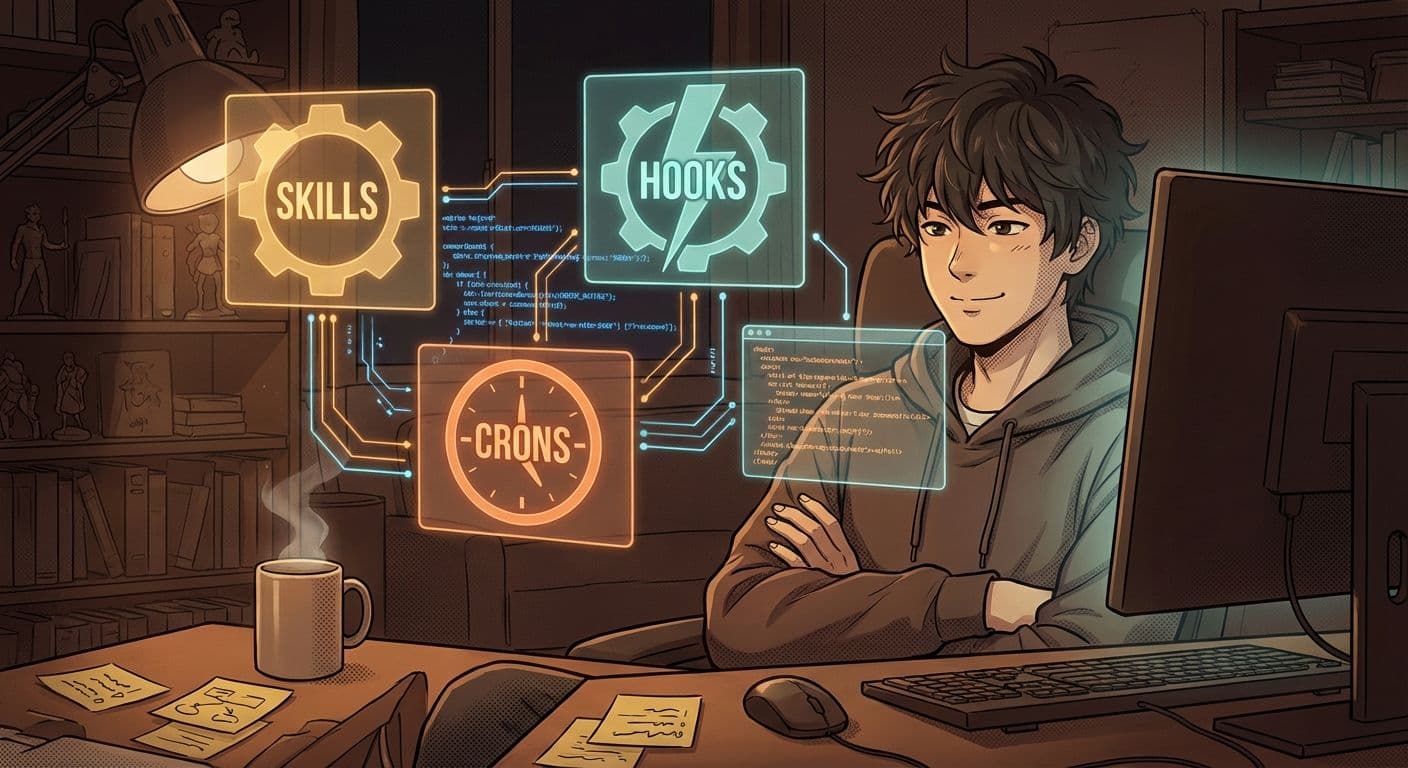
Claude Code already does a lot when you talk to it. But what if it could do things without you talking to it?
That's what hooks, crons, and skills are for. Three systems, three different jobs. Once I set them up, my workspace started running parts of itself. Not perfectly. Not magically. But enough that I started every morning with things already done.
Here's how they work — no code, just the concept.
Quick Check: Who Is This For?
If you're a non-technical person using Claude Code (or thinking about it), and you've heard terms like "hooks" or "cron jobs" thrown around but have no idea what they actually do — this is for you. I'm a financial planner in Hong Kong building with AI. I learned all of this by talking to Claude, not by reading documentation.
The Simplest Way I Can Explain It
Think of it like this:
Skills are recipe cards. Each one teaches Claude how to do a specific job — draft a blog post, rebalance a portfolio, analyze a PDF. You install them once, and Claude can use them whenever the right situation comes up. "Hey, I know how to do this. I have the recipe."
Hooks are tripwires. When something specific happens — you start a session, you read a file, you run a command — the hook fires and does something automatically. It's the "when X happens, do Y" system. You never call them. They just run.
Crons are alarm clocks. They go off at a set time — every morning at 8am, every 6 hours, every Monday. Whatever schedule you set. When the alarm rings, a task runs. No human needed.
That's it. Recipe cards, tripwires, and alarm clocks.
What They Look Like in My Workspace
I'm going to keep this high-level on purpose. The next post is where I'll walk through the actual apps and builds in detail. But here's a taste of what each one does for me right now:
Skills I Actually Use
I have a skill called Session Wrap-Up. Every time I finish working, it automatically creates a handoff document — what I did, what's still open, key decisions made, and things I learned. Next morning, Claude reads that handoff and picks up exactly where I left off. No "where were we?" No re-explaining.
But here's what makes it special: it has a built-in learning system. Every session, it scores what I learned — did this actually work? Was this confirmed or just a guess? Learnings start with a low confidence score. Each time they get confirmed, the score goes up. If something turns out to be wrong, the score drops. Below a threshold, it gets deleted. Over time, the system keeps only what's actually true and throws away what isn't. It's not just remembering — it's getting smarter about what's worth remembering.
I put a lot of effort into improving this one because it's the foundation of everything else. Without good handoffs, every session starts from zero. With them, every session compounds.
Another one is my MPF Rebalancer. It analyzes fund data, runs a debate between two AI agents, and decides whether to shift my team's portfolio to safety. This week it saved us from holding 100% equity during a war. Two AI agents argued about it, a third one made the final call, and I woke up to a defensive portfolio. I didn't press a button.
Then there's the News Briefing. Every morning, Claude scans AI news and flags stories worth writing about. Some of them become blog posts. The Sora post last week? That started as a news flag.
Skills are the most powerful of the three because they carry knowledge. A good skill turns Claude from a general assistant into a specialist.
Hooks I Have Running
- Session start — every time I open Claude Code, a hook injects my workspace context. It reads my project files, loads my preferences, and checks what I was doing last time. I never have to say "here's what we're working on" — it already knows.
- File detection — when I edit certain file types, hooks automatically suggest relevant best practices. Touch a React component? The hook reminds Claude about accessibility rules.
- Pre-tool checks — before Claude reads or writes certain files, hooks can inject additional context. Like a co-pilot whispering "hey, here's what you need to know about this file."
Hooks are invisible. That's the point. They make Claude smarter without you doing anything extra.
Crons That Run While I Sleep
- Price scraper — runs every morning, pulls the latest fund prices from the provider's API, stores them in my database. When I wake up, the numbers are fresh.
- News pipeline — runs every 6 hours, fetches market news, classifies sentiment (positive/negative/high-impact), and decides whether to trigger a portfolio rebalance.
- Metrics engine — recalculates risk metrics (Sharpe ratios, drawdowns, momentum) daily so the rebalancer always has current data.
Crons are what make an app feel alive. Without them, you have to manually press "refresh" on everything. With them, the system breathes on its own.
One thing nobody warns you about: if you're running Claude locally on your laptop, crons stop when your laptop sleeps. Close the lid, everything stops. I learned this the hard way — woke up to zero updates because my Mac went to sleep at midnight. So I moved my crons to a cloud-based setup. Now they run whether I'm awake, asleep, or on a plane. That's the difference between a toy and a tool.
How They Work Together
Here's where it gets interesting. These three systems don't just sit side by side — they chain together.
The cron fires at 6am. It fetches news and fund prices. The news pipeline classifies articles and detects if something big happened — a war, a rate hike, a market crash. If it's high-impact, it triggers the rebalancer skill, which runs a debate between two AI agents and decides whether to shift the portfolio.
Meanwhile, when I open Claude Code that morning, a hook loads my workspace context and shows me what happened overnight. I see the rebalance decision, the debate log, the new allocation — all before I type a single word.
Cron starts it. Skill does the thinking. Hook shows me the result.
That's automation that actually works for a non-technical person. No servers to manage. No code to deploy manually. Just set it up once, and it runs.
The Part Nobody Tells You
Setting these up is not hard. But knowing what to automate — that takes time. I wasted a full day trying to build a hook that wasn't useful. I built a cron that ran every hour when once a day was fine.
The lesson: start with one of each. One skill you use daily. One hook that fires on session start. One cron that updates one piece of data. Get those working. Then add more.
Don't try to automate everything in a week. Automate the thing that annoys you most, and go from there.
The Take Away:
- Skills = recipe cards. They teach Claude specific jobs. Install once, use forever. The more you have, the more Claude can do without you explaining things from scratch.
- Hooks = tripwires. They fire automatically when things happen. You never call them — they just make Claude smarter in the background.
- Crons = alarm clocks. They run on a schedule. They're what make your workspace feel alive when you're not there.
- They chain together. Cron fetches data, skill processes it, hook shows you the result. That's the compound.
Next post, I'm going to walk through the actual things I built this week — the apps, the dashboards, the tools. What they do, why I built them, and what broke along the way.
What would you automate first?
Enjoyed this post?
Get new guides and tools delivered to your inbox every week.